Groups
Groups are collections of users that collectively control who can access what on your server(s).
Managing membership
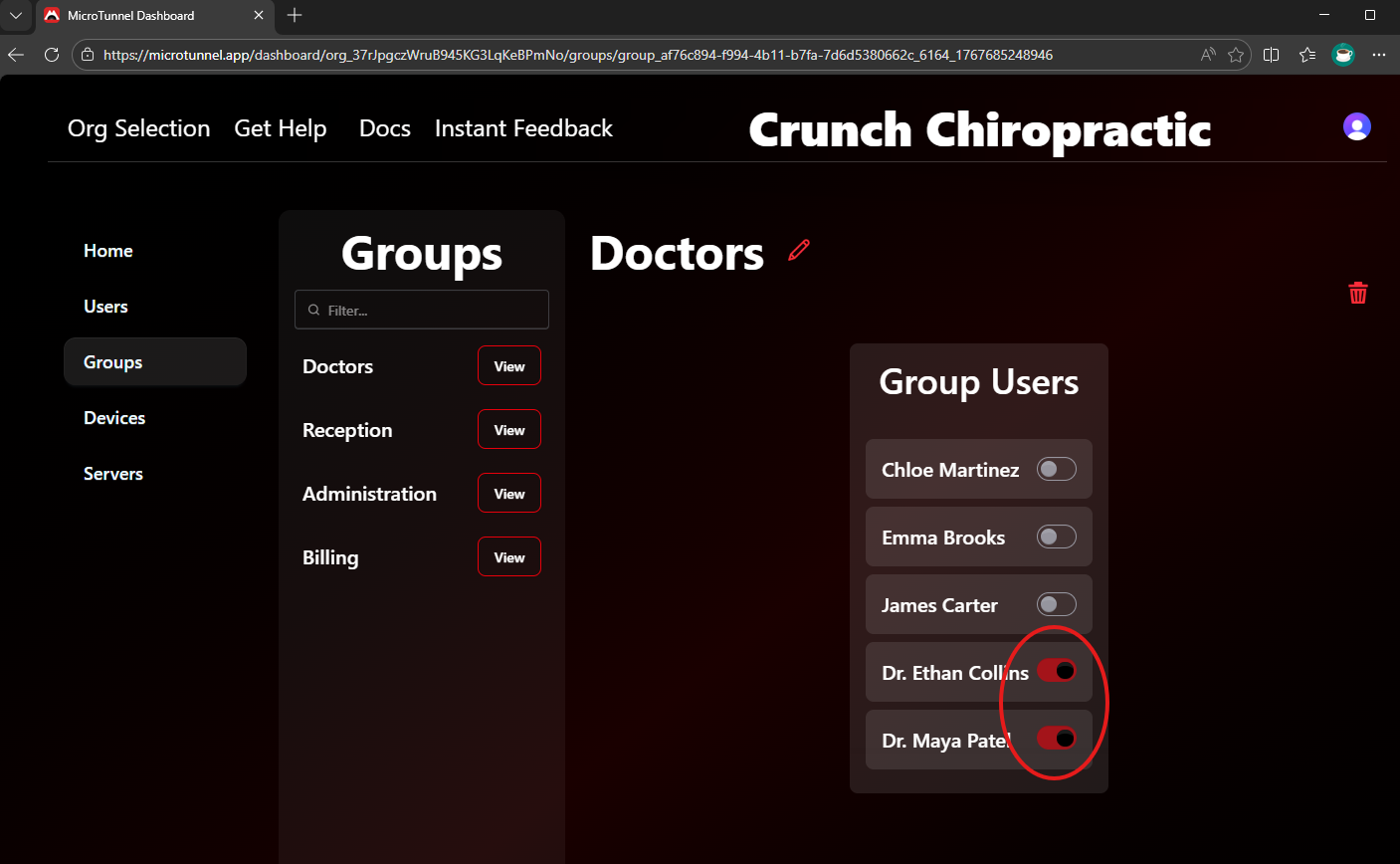
In the dashboard’s Groups tab, manage group membership by toggling the switch next to a user’s name.
Read more about user management here.
Controlling access
On your servers, manage access to shared files and folders using standard file sharing and NTFS permission techniques—either through File Explorer or command-line tools like icacls and net share.
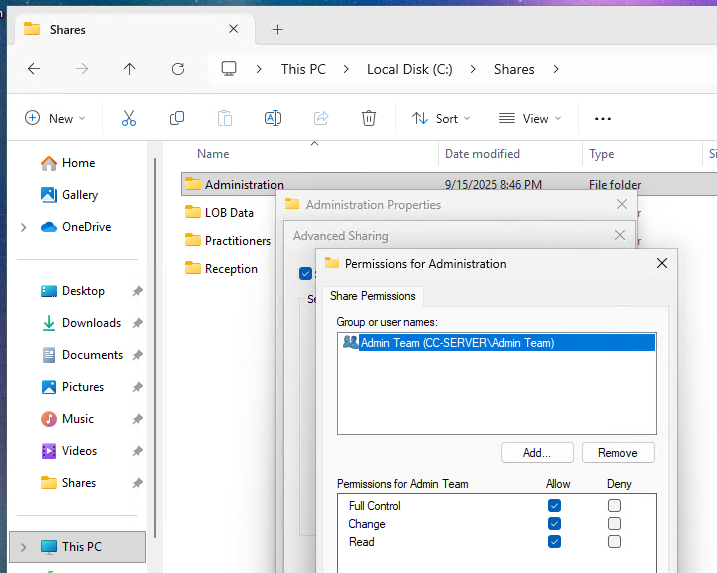
After you assign permissions to your groups, you can manage all future access directly from the MicroTunnel dashboard.
Get Started | Pricing | Book a Call | Feedback | MicroTunnel Public Roadmap