Rename your organization
To rename an organization:
- Click the icon in the lower-left of the dashboard, then Manage.
- Select Update Profile and enter the new name.
- Click Save to apply the change.
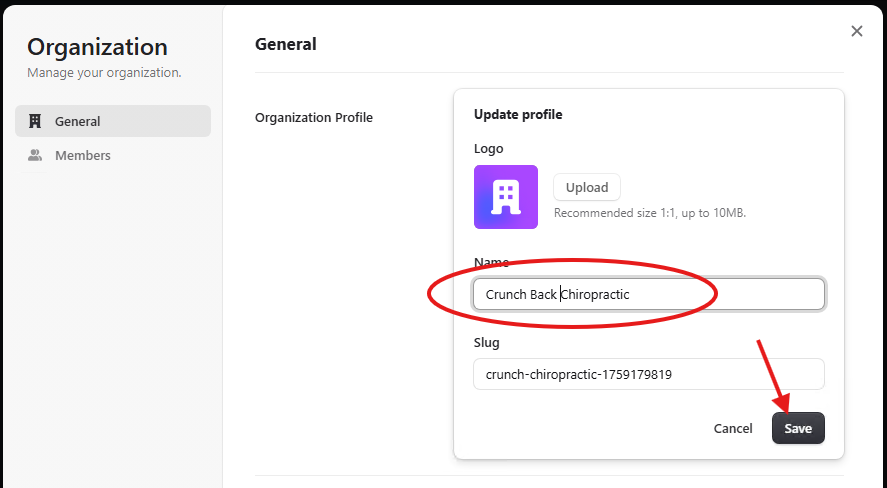
Customized Logo
You can also upload an organization logo from this menu.
note
If the Save button is not enabled after uploading a logo, edit the name field so it detects the change. Then save and re-edit to change the name back.
Get Started | Pricing | Book a Call | Feedback | MicroTunnel Public Roadmap